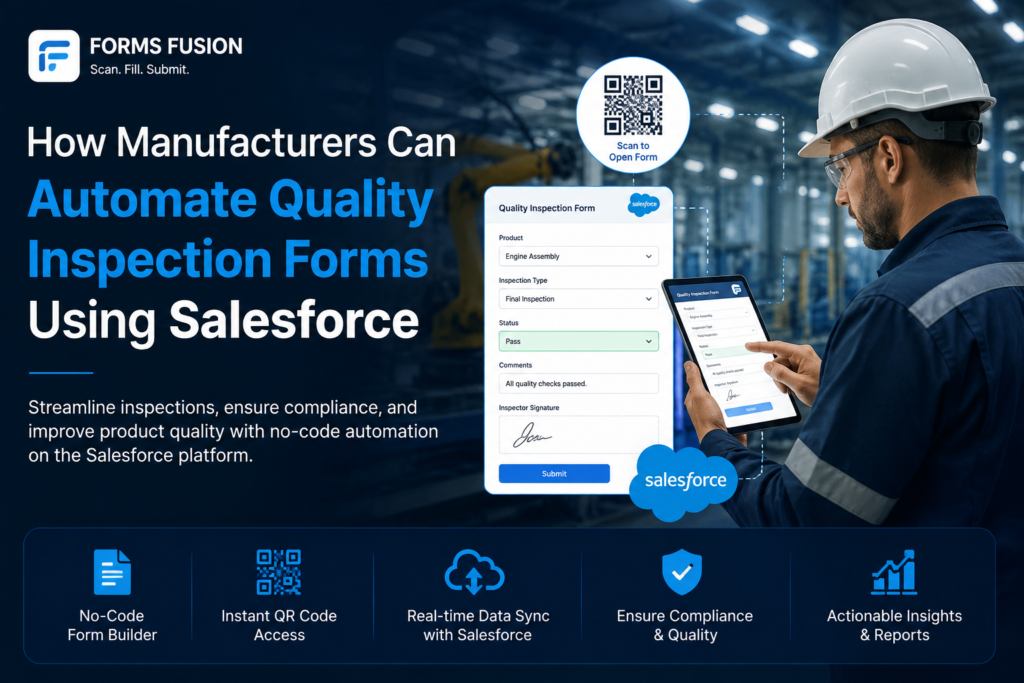
Quality inspections are a critical part of manufacturing, but managing them manually can quickly become complicated.
From checking product specifications and measurements to recording safety requirements, approvals, comments, and corrective actions, every inspection involves multiple steps. When these activities are handled through paper forms, spreadsheets, or disconnected systems, important information can easily get missed or delayed.
This is where a Salesforce-connected quality inspection form can help. By digitizing inspections and connecting the collected information with Salesforce, manufacturers can create more consistent processes, automate follow-up actions, and keep quality data connected with their wider operations.
In this blog, we will explore how manufacturers can automate quality inspection forms using Salesforce and create a more efficient quality management process.
Why Manufacturing Teams Need Smarter Quality Inspection Workflows
Managing Different Inspection Requirements
Manufacturing businesses rarely follow exactly the same inspection process.
One facility may need detailed product measurements, while another may focus on equipment checks, safety requirements, or supplier quality. A rigid form may not be flexible enough to support these different processes.
Digital quality inspection forms allow teams to create forms around their actual requirements and capture only the information relevant to each inspection.
Keeping Quality Data Connected
Quality information is often related to other business data.
An inspection may be connected to a product, customer order, production batch, supplier, machine, or service record. When this information is stored separately, teams may spend additional time searching for the right records.
With Salesforce-connected forms, inspection information can be captured and associated with relevant Salesforce records, giving teams a more connected view of quality operations.
Standardizing Quality Checks
Consistency is important when multiple inspectors, facilities, or production teams perform quality checks.
A digital quality inspection checklist can guide users through the required inspection points and make sure critical information is not skipped.
Teams can also use required fields, validations, conditional sections, and predefined options to create a more consistent inspection experience.
Responding Faster to Quality Issues
Completing an inspection is not always the end of the process.
If a product fails inspection, someone may need to investigate the issue, approve a decision, notify another team, or start corrective action. When these steps depend on manual communication, responses can take longer.
Connecting inspection forms with Salesforce automation can help trigger the next action as soon as the relevant information is submitted.
How Manufacturers Can Automate Quality Inspection Forms Using Salesforce
Build Forms Around Real Manufacturing Processes
Every manufacturing operation has different quality requirements.
Instead of forcing inspectors to work with a generic form, businesses can create Salesforce forms around their actual inspection processes.
Forms can include product information, inspection criteria, measurements, pass/fail results, comments, images, signatures, and other required details.
As processes change, teams can also update the form structure to support new products, inspection standards, or operational requirements.
Create Flexible Forms With a Visual Builder
Manufacturing requirements can change over time.
New inspection points may be introduced, existing fields may need to be modified, or different teams may require different sections. A visual drag-and-drop form builder can make these changes easier to manage.
Rather than depending on extensive development for every adjustment, teams can design and update forms according to changing business requirements.
Automate Quality Inspection Checklists
A quality inspection checklist gives inspectors a clear structure to follow.
Instead of relying on memory or manually maintained documents, required inspection points can be built directly into the digital form.
Manufacturers can organize checks into sections, make important fields mandatory, and use conditional logic to display additional questions when specific answers are selected.
This helps create a more reliable inspection process across different users and locations.
Capture Inspection Information Directly in Salesforce
Quality data becomes more useful when it is available alongside the rest of the business information.
When inspection results are submitted directly into Salesforce, teams can connect quality records with products, accounts, orders, assets, cases, or other relevant records.
Managers can then access inspection information without depending on separate spreadsheets or manually consolidated reports.
Trigger Actions When an Inspection Fails
A failed inspection may require immediate attention.
For example, a manufacturing team may need to notify a quality manager, create a follow-up task, request approval, or begin a corrective action process.
Salesforce automation can connect these steps with inspection submissions. Based on the information captured in the form, the appropriate workflow can be triggered automatically.
This reduces manual handoffs and helps quality teams respond to issues faster.
Improve Quality Visibility Across Teams
Quality information should be useful beyond the inspection team.
When inspection records are connected with Salesforce, managers and other authorized teams can gain better visibility into inspection results, recurring issues, and quality activities.
Over time, this information can help businesses identify patterns, understand where problems are occurring, and make more informed operational decisions.
A Better Way to Build Manufacturing Forms in Salesforce
Manufacturers have several options for digitizing forms and inspection processes.
However, the right solution should do more than simply replace a paper form with a digital version. It should fit into existing business processes and make it easier to collect, manage, and act on information.
A Salesforce-compatible form solution can help businesses create digital forms while keeping the collected information connected to their existing Salesforce environment.
This allows manufacturers to build a more connected process instead of managing inspection data separately from their CRM and operational records.
Automating Quality Workflows With Forms Fusion
Forms Fusion by Ciphermetic Consulting is a Salesforce form solution designed to simplify digital data collection and connect form submissions with Salesforce processes.
Instead of relying on disconnected paper forms or manual data-entry processes, businesses can use digital forms to collect information and streamline how that information moves into Salesforce.
With Forms Fusion, businesses can:
- Create digital forms for manufacturing and quality processes
- Build forms without complex development
- Capture inspection and operational information digitally
- Connect collected information with Salesforce records
- Use conditional fields to create more relevant form experiences
- Collect data from different users and business processes
- Reduce repetitive manual data entry
- Support mobile-friendly data collection
- Use QR-based access for easier form sharing and submission
- Keep form-based data collection connected with Salesforce workflows
For manufacturing teams, the combination of digital forms and Salesforce automation can make quality inspections easier to manage while reducing unnecessary manual steps.
Conclusion
Quality inspections are essential to manufacturing, but managing the inspection process manually can create unnecessary work and reduce visibility.
A Salesforce-connected quality inspection form can help manufacturers standardize inspections, capture accurate information, connect quality data with business records, and automate the actions that follow an inspection.
By using flexible digital forms and Salesforce automation, manufacturing teams can spend less time managing disconnected processes and more time improving quality and operational performance.
Ready to Simplify Your Salesforce Forms?
With Forms Fusion, you can make Salesforce data collection simpler, faster, and more connected.
Create smarter digital forms, streamline your workflows, and make every submission work better with Salesforce.
👉 Try Forms Fusion today and simplify your Salesforce form processes.